Instructors
Move from recording to reviewed grade faster, without starting every comment from scratch.
SpeechGradebook Evaluation
A full-time public speaking load can mean more than a week spent grading. You still want students to leave with detailed, useful comments. SpeechGradebook drafts rubric scores and feedback for your review so you can return stronger notes faster and keep control of every official grade.
Available through walkthroughs, pilots, and early-access conversations.
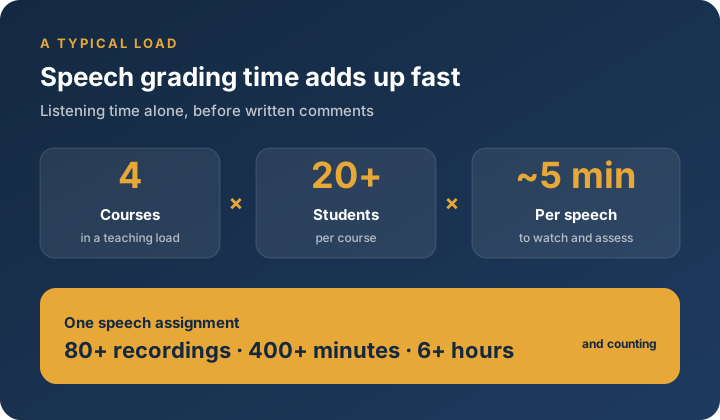
You’re already committed to student growth. We help make the grading and assessment side more manageable.
Move from recording to reviewed grade faster, without starting every comment from scratch.
Support more consistent rubric use across sections and teaching staff.
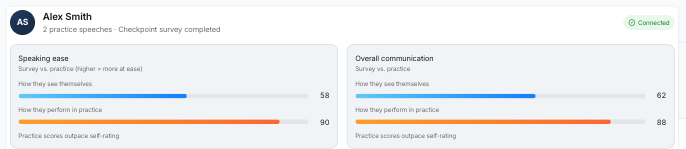
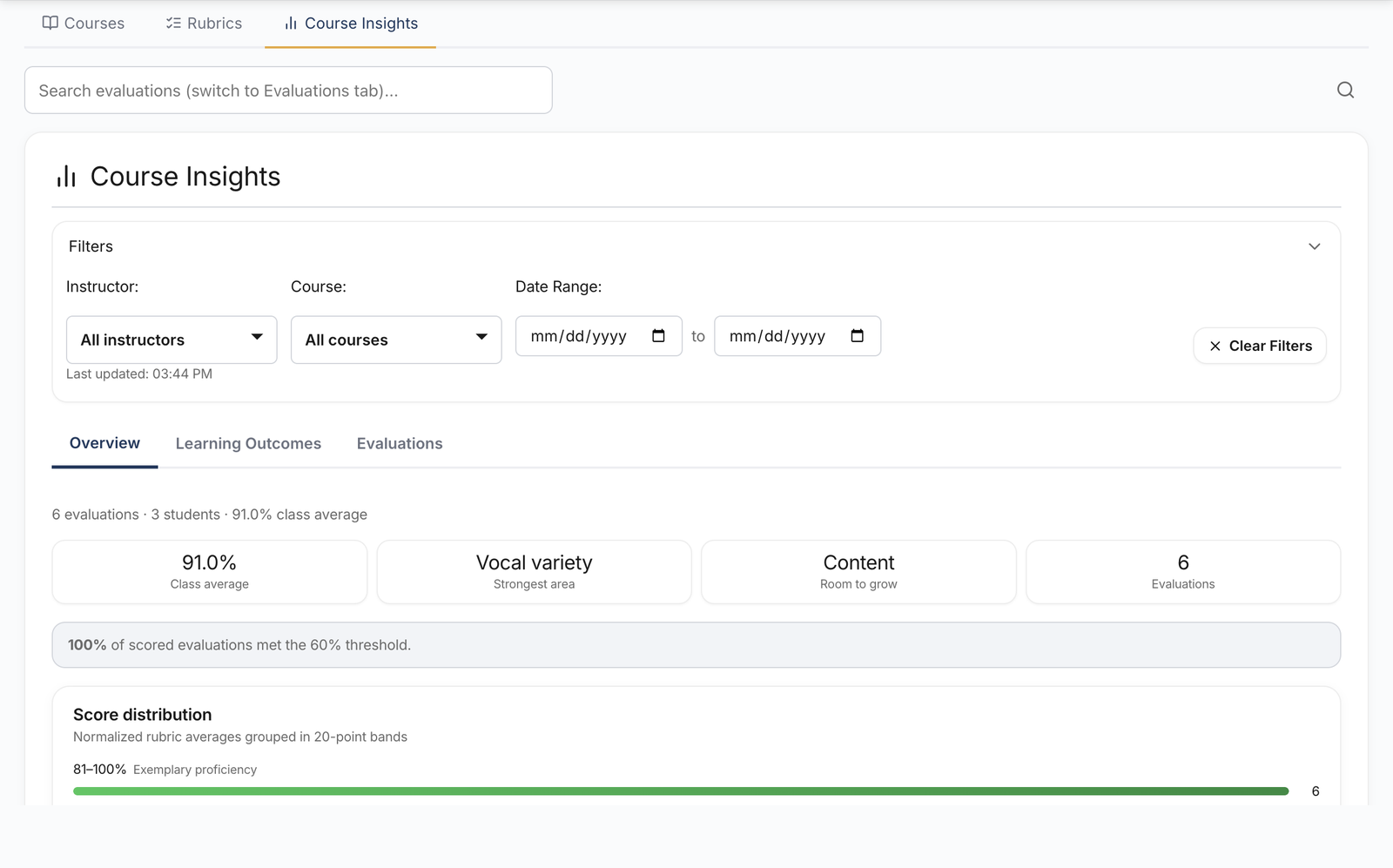
Track student progress and learning outcomes across time, sections, and terms.
See outcome patterns for assessment conversations, not only individual grades.
Less time buried in the queue. The same high bar for feedback quality. Clearer visibility for your program.
Run student recordings against your rubric. Get scores and comments ready for your review, not a blank page for every speech.
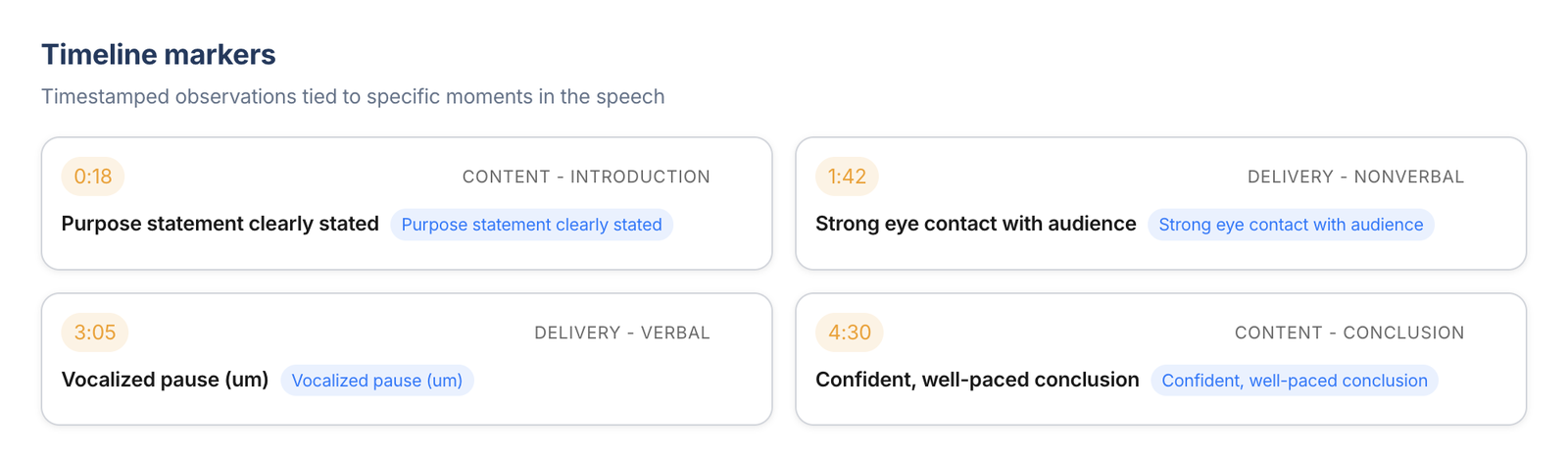
Edit scores, comments, and observations freely. Nothing becomes the official grade until you save it.
Connect evaluations to learning outcomes so basic course directors and departments can track growth across sections and terms.

SpeechGradebook was created by Anna McClure, Ph.D., coauthor of Public Speaking in a Global Context (5th ed., Macmillan Learning), with years of experience teaching public speaking and related communication courses.
In those public speaking courses, student evaluations averaged 4.5/5 on feedback quality and classroom support.
“She provides beneficial feedback on our speeches so we can improve. She is very calm and encouraging.” Public speaking student
AI output is a starting point. You review and save the official grade.
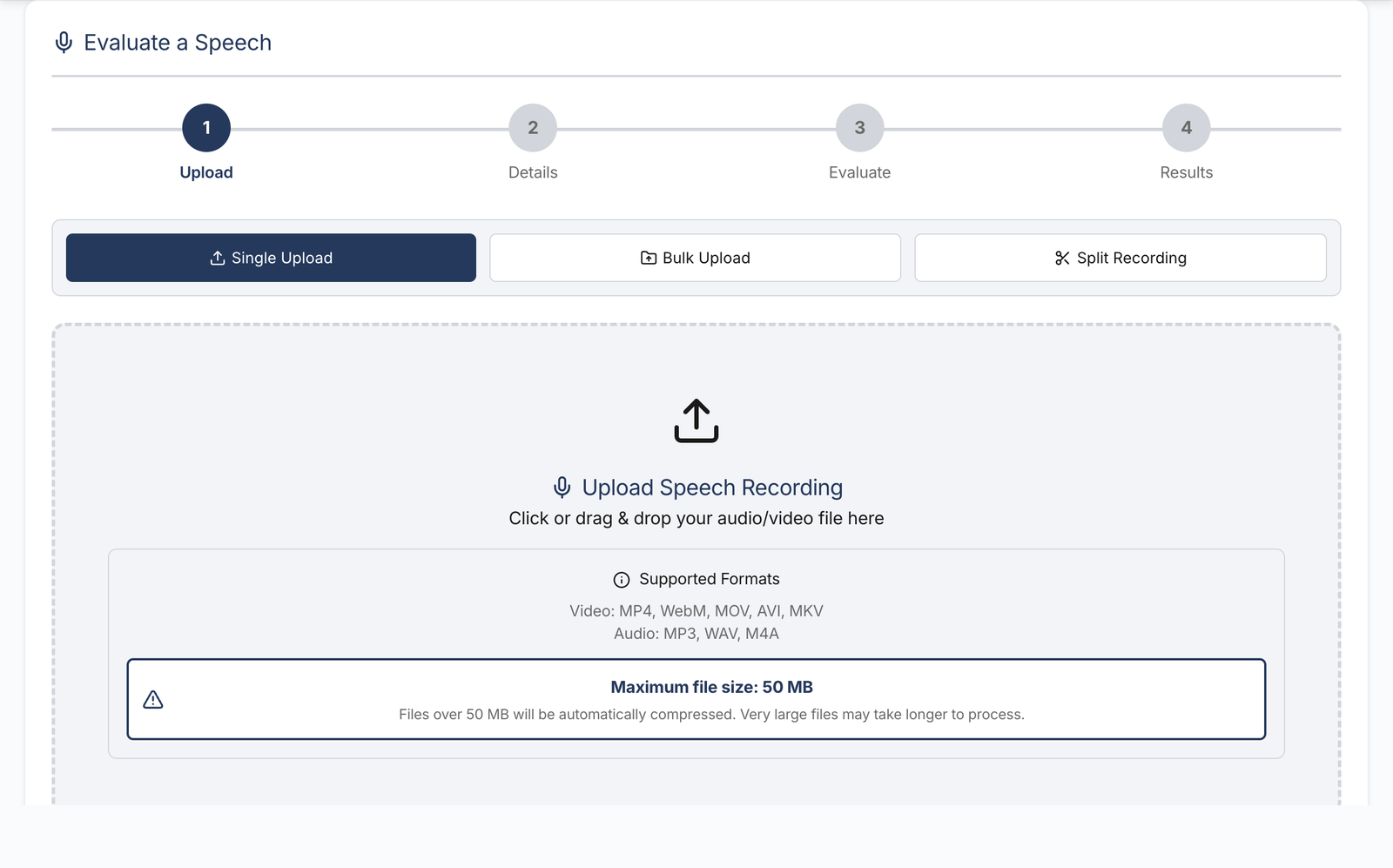
Upload audio or video for a speech or presentation.
Choose the course context and rubric for the evaluation.
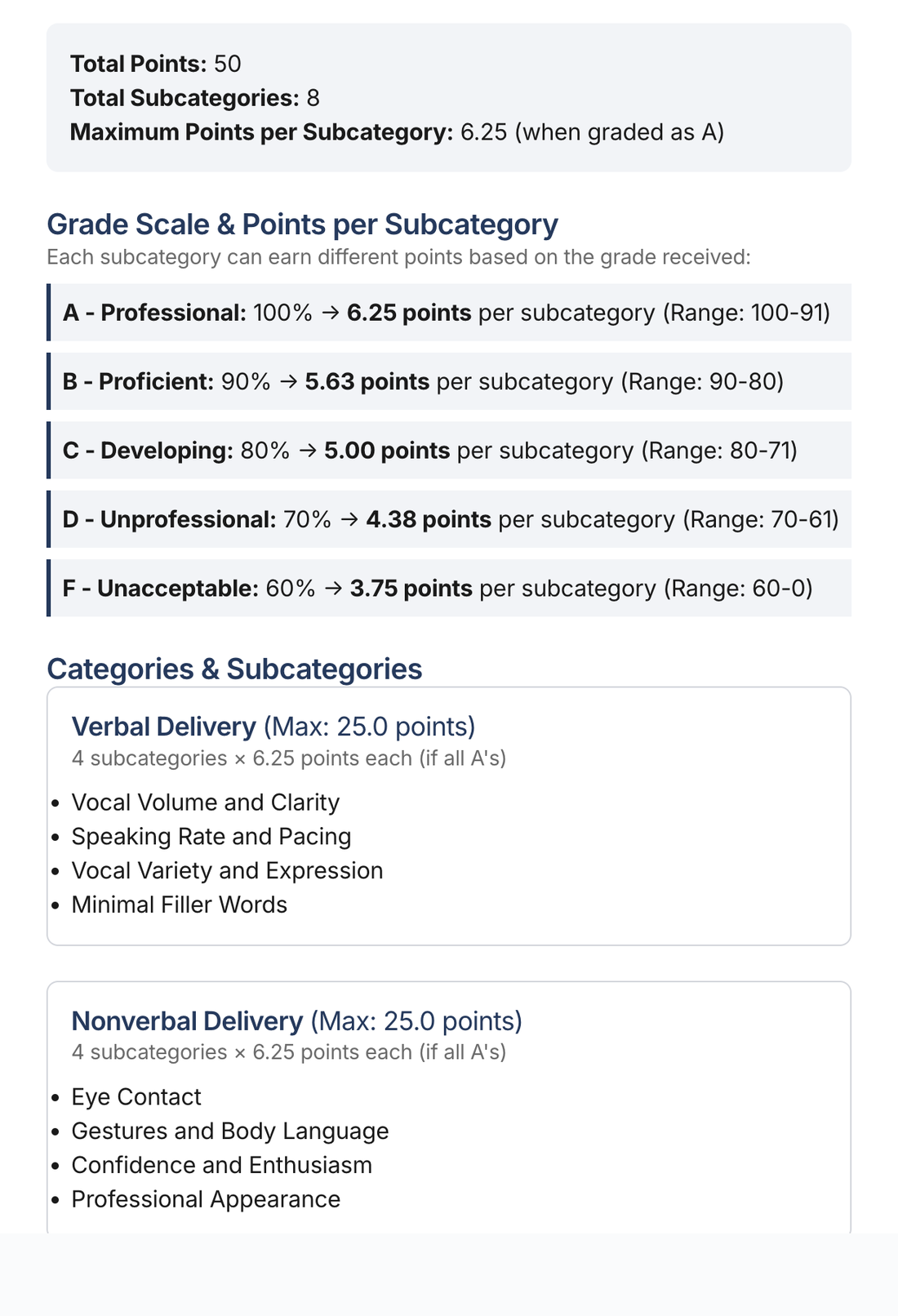
SpeechGradebook returns structured scores, comments, and timestamped observations.
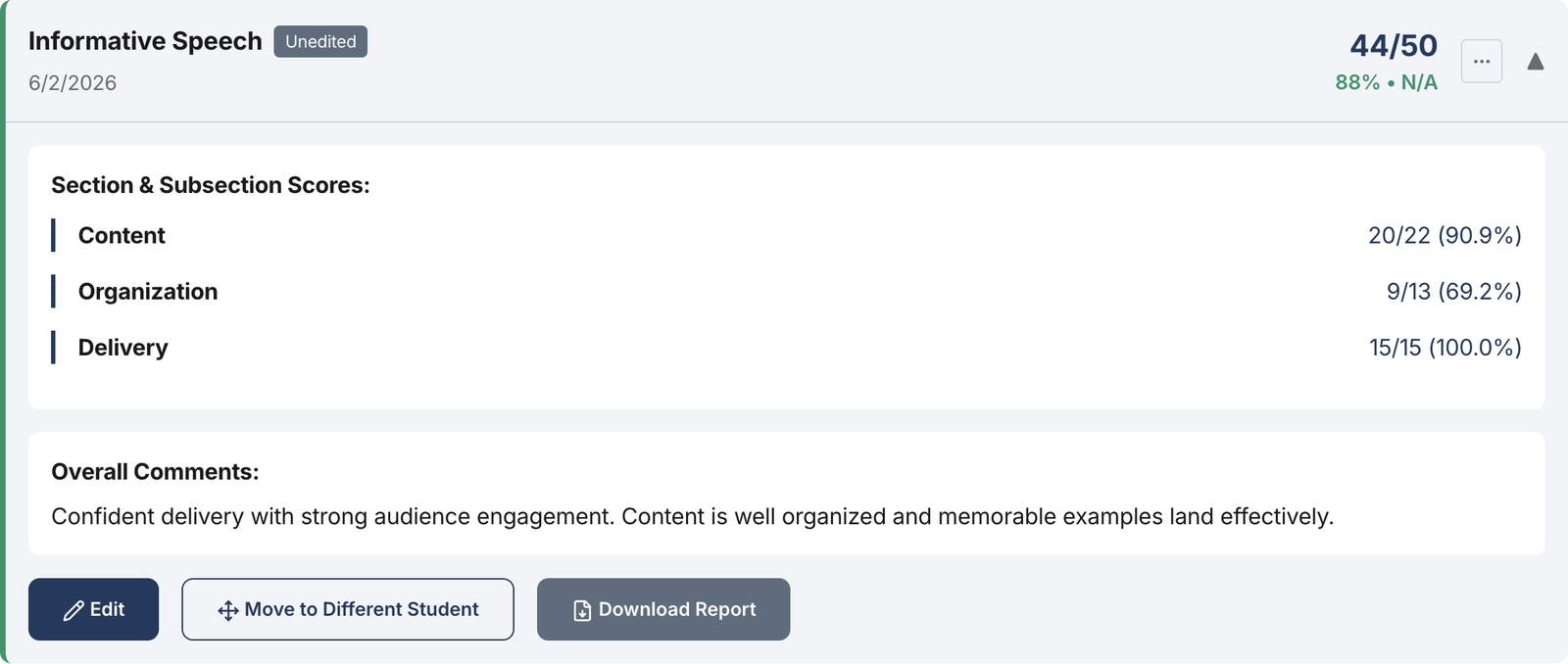
Adjust the draft as needed, then save the instructor-approved evaluation.
Try the live demo, or request pilot info for your department.
For individual speakers, see SpeechGradebook Practice